
Finished video
Yoine smart eye mask: testing demand before production
A 76-second video for landing pages and Meta ads. Before mass production, the fictional smart eye mask Yoine tests three concepts with landing pages and ads, orders the one that drew a response and gets it into customers' hands
Narration and on-screen text are in Japanese. The sections below describe the video in English.
How it was made: The people, prototypes and ad photos were made with image generation AI (GPT Image, Nano Banana Pro, Nano Banana 2) and animated in a live-action style with video generation AI (Kling v3). Product screens and text were built in HTML, and music and sound effects were made with generative AI (ElevenLabs) and finished in the edit (no filming)
A video like this$1,200 (excl. tax) · As few as 5 business days76 seconds in three formats (landscape, portrait and feed 4:5) | Pricing
Overview and production conditions
- A founder who can't commit to mass production takes a prototype eye mask to market.
- Three designs and target customers are tested with landing pages and ads, and only the one that draws a response gets ordered.
- The path from prototype to the first customer is shown with live-action-style footage and product screens.
- Where it runs
- Landing pages and Meta ads (feed and Reels). Exported in three versions, landscape 16:9, feed 4:5 and portrait 9:16
- Structure
- Hesitation, product input, landing pages and ads for three target customers, ad delivery, picking one concept by response, ordering from the factory, delivery to the customer, then the logo
- Approach
- Live-action-style people and product screens glowing blue on a dark background. All text except the logo is typed on screen. There is no voice, and music and sound effects carry the video
- Production time
- From the first instruction around 1 a.m. on October 7, 2026, to exporting the delivery files in three aspect ratios around 2 p.m. the same day, with a break for sleep
The 76 seconds, scene by scene
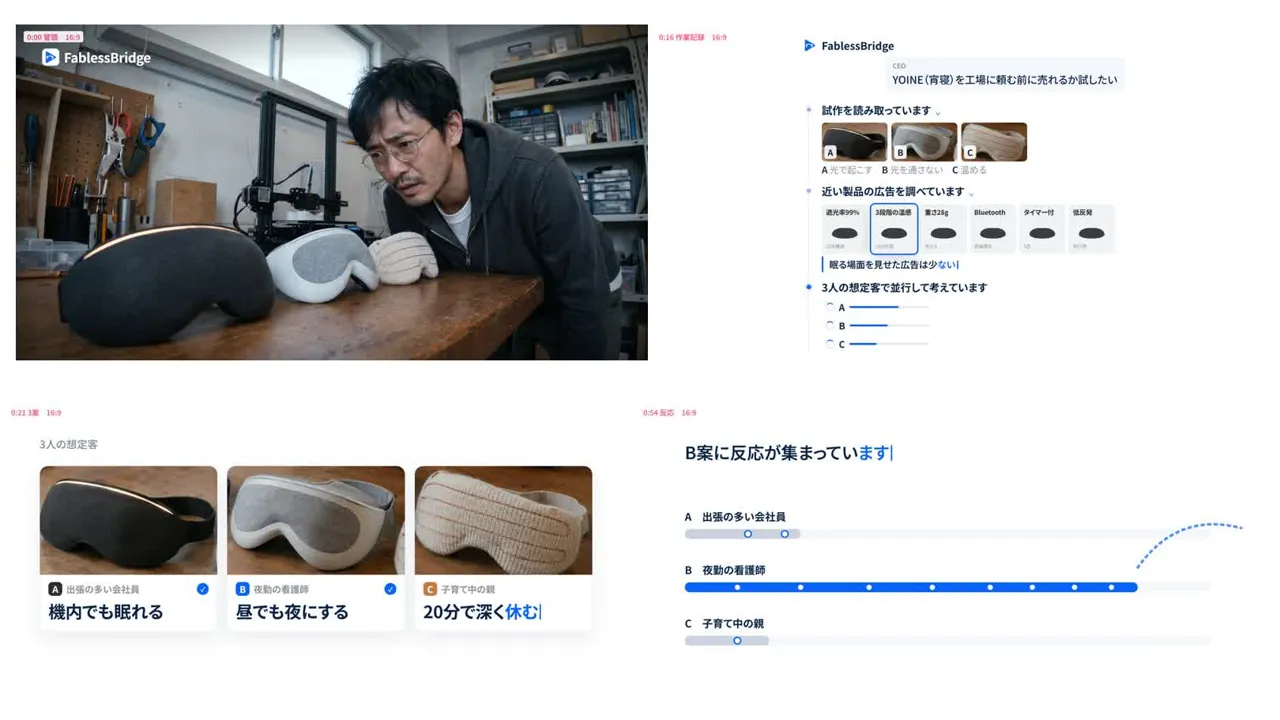
0–10 s: In a cramped office, the CEO compares three prototypes. As the CEO puts one on and closes their eyes, "YOINE, a smart eye mask for sleep" is typed in. Hesitating in front of a $30,000 quote for the mold, the CEO opens a laptop.
10–20 s: The FablessBridge logo appears. In the "Tell us about your product" field, the CEO types "I want to test whether YOINE sells before ordering from a factory" and sends it with three prototype photos. Over a sphere of light particles, the messages "Reading the prototypes", "Checking materials and shapes", "Collecting ads for similar products" and "Finding likely buyers" take turns. A product kit forms with the product name, three prototypes, selling points and three target customers.
20–29 s: Pressing "Next" scrolls through cards for three target customers until they stop. A frequent business traveler gets "Sleep even on a plane", a night-shift nurse gets "Turn day into night", and a parent raising kids gets "Deep rest in 20 minutes". Three landing pages fill in from wireframes to photos, features, use cases and a pre-order banner.
29–35 s: Short cuts are layered. A 3D printer nozzle, the CEO blowing away shavings, hands cutting fabric with scissors, the CEO holding a prototype up to window light, a hand touching a knit prototype and hands photographing a prototype with a phone.
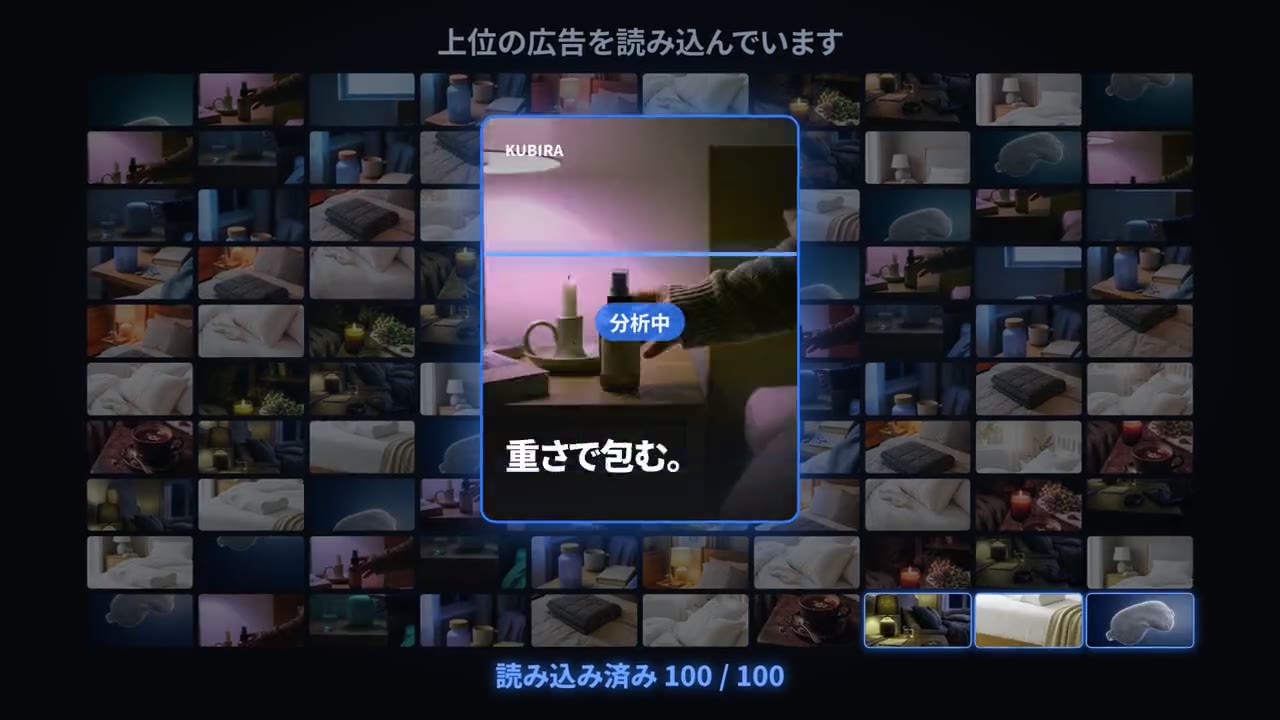
35–45 s: A "How many ads should we make?" dial turns up to 100. After "Analyzing the market" and "Decoding the patterns of ads that sell", 100 competitor ads load. Empty cards become YOINE ads, and the bottom row changes to English ads.
45–53 s: Logos for Instagram, Facebook, X, TikTok, Google, ChatGPT ads and Pinterest line up, and "7 days, capped budget, stop if there's no response" is typed. The "Launch ads" key is pressed. A night-shift nurse looks at a phone. Among posts such as a person doing a handstand on a car, likes keep landing on the concept B ad.
53–60 s: "Concept B is getting the response." 👍 icons gather on concept B into one big 👍, while concepts A and C are left with bullet holes at the sound of gunshots and drop away. "Go with concept B" is typed, and "New pre-order" notifications cover the screen. The CEO exhales and shudders.
60–65 s: The CEO messages the factory contact, "Please make 1,000 units in shape B", and the reply is "Understood." Shape B units line up on the factory line.
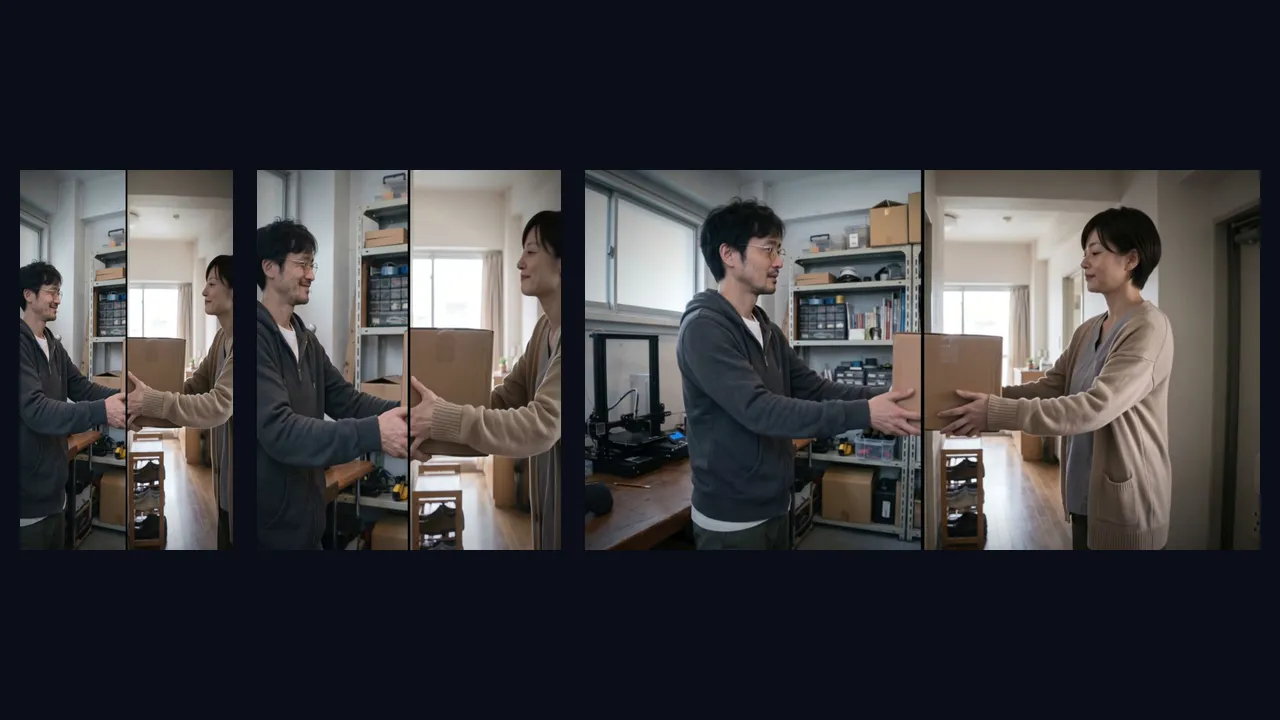
65–76 s: On a split screen, the same box passes from the CEO to the nurse. The nurse puts on Yoine and sleeps in a room in daylight. The video ends on the FablessBridge logo with "Sell It Before You Build It" and "pr.fabless-bridge.ai" (with small text below reading "Screens are concept images under development").
Version 3 vs. final cut
We exported seven versions of the landscape 16:9 cut on October 7, 2026. Below, version 3, the first one reviewed, is compared with the final cut in full, followed by four scenes revised after review.
Full video
Fill the three landing pages with information
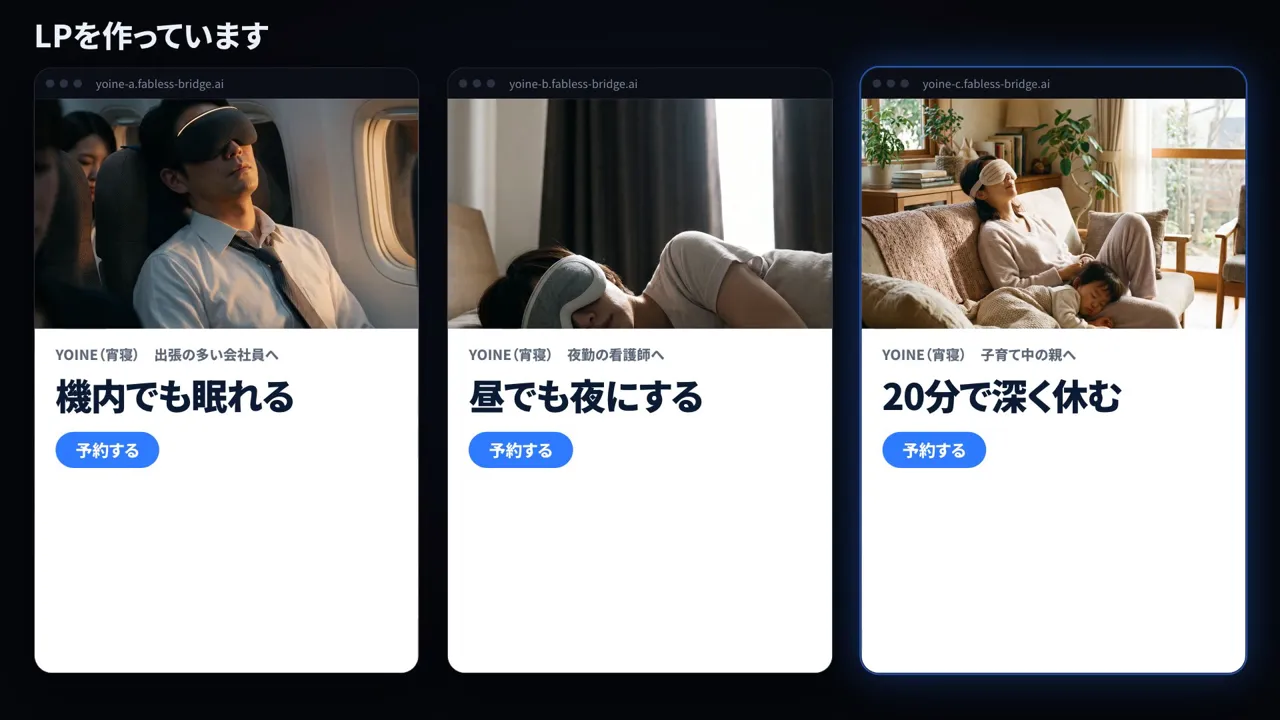 Before
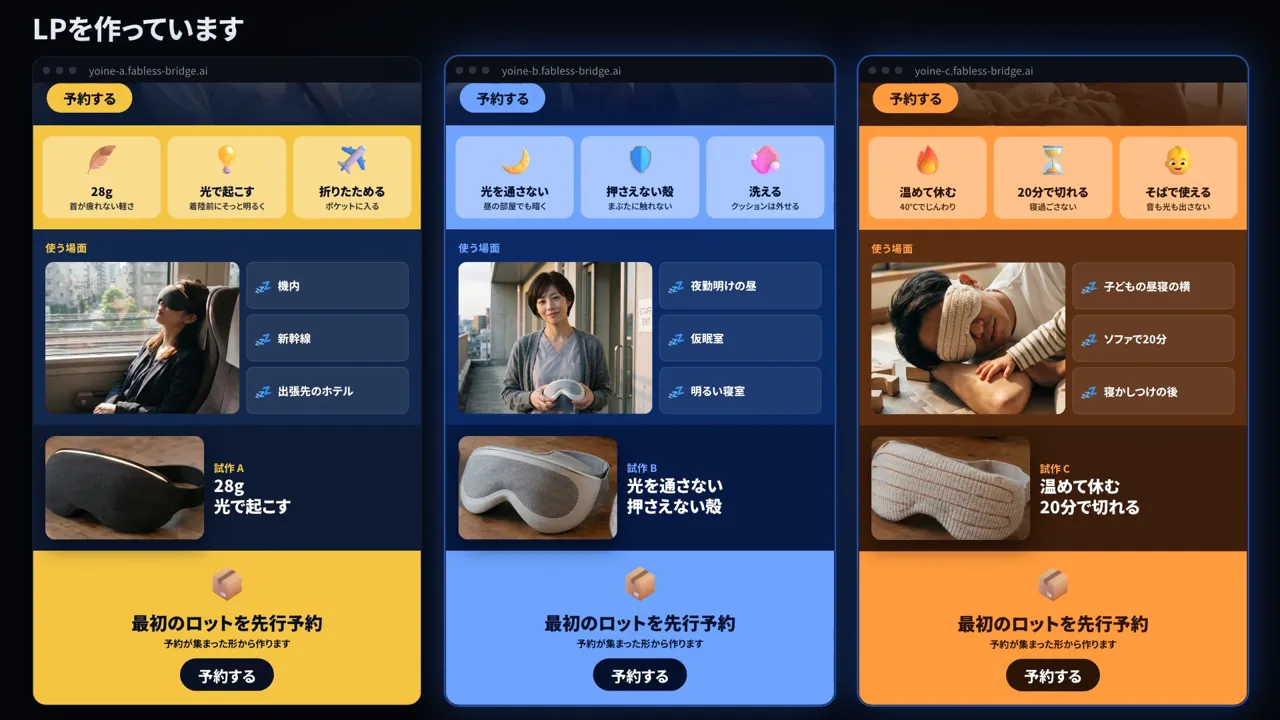 Final cut
- Goal
- Make each target customer's landing page look like a working storefront
- Instruction during production
- "The landing pages at 28 seconds have a lot of empty space."
"The landing page content is thin. I want it finished so there's no white left on the screen." - Adjustment
- Alongside a large photo and bold headline, we added three features with icons, use cases, prototype photos and a pre-order banner and button, leaving no empty space
Load 100 competitor ads
- Goal
- Show at a glance that the ads are made after studying a large number of ads that sell
- Instruction during production
- "At 40 seconds it says 24 loaded. Make it 100."
- Adjustment
- Reading was made about 10 times faster, while the center card switches about every 0.06 seconds so the eye can follow, and the volume is shown by the grid behind it and the counter. The competitor ads are fictional. We varied the crop, color and copy of generated images to make 100 variations
Strengthen the scene where the winning concept is chosen
- Goal
- Convey through sound and motion the decision to choose concept B by response and stop A and C
- Instruction during production
- "At 53 seconds, concepts B and C are shaking badly, which looks wrong."
"A pistol goes bang bang, bullet holes stay, and concepts A and C fall down."
"Lots of notifications come in at 56 seconds, but there's no notification sound at all." - Adjustment
- The shaking came from re-sorting the screen layout on every frame, so it now runs only once. 3D 👍 emojis gather on concept B, a gunshot sound effect was generated and bullet holes were overlaid. The number of notification sounds matches the number of notifications shown
Hand over the box while keeping the split screen
- Goal
- Make the box the CEO sends off look as if it goes straight into the first customer's hands
- Instruction during production
- "Right, the box isn't actually passing from the CEO to the nurse, so fix it."
"65 seconds is no good at all. Keep both screens on and move the cardboard box across without it feeling off." - Adjustment
- From version 4 we kept revising by building the left and right sides separately, but they never matched. For the final cut we made start and end frames of a split screen with a thin line down the center, and gave both to video generation AI (Kling v3) to produce a single clip
Casting, prototypes, style frames and production steps
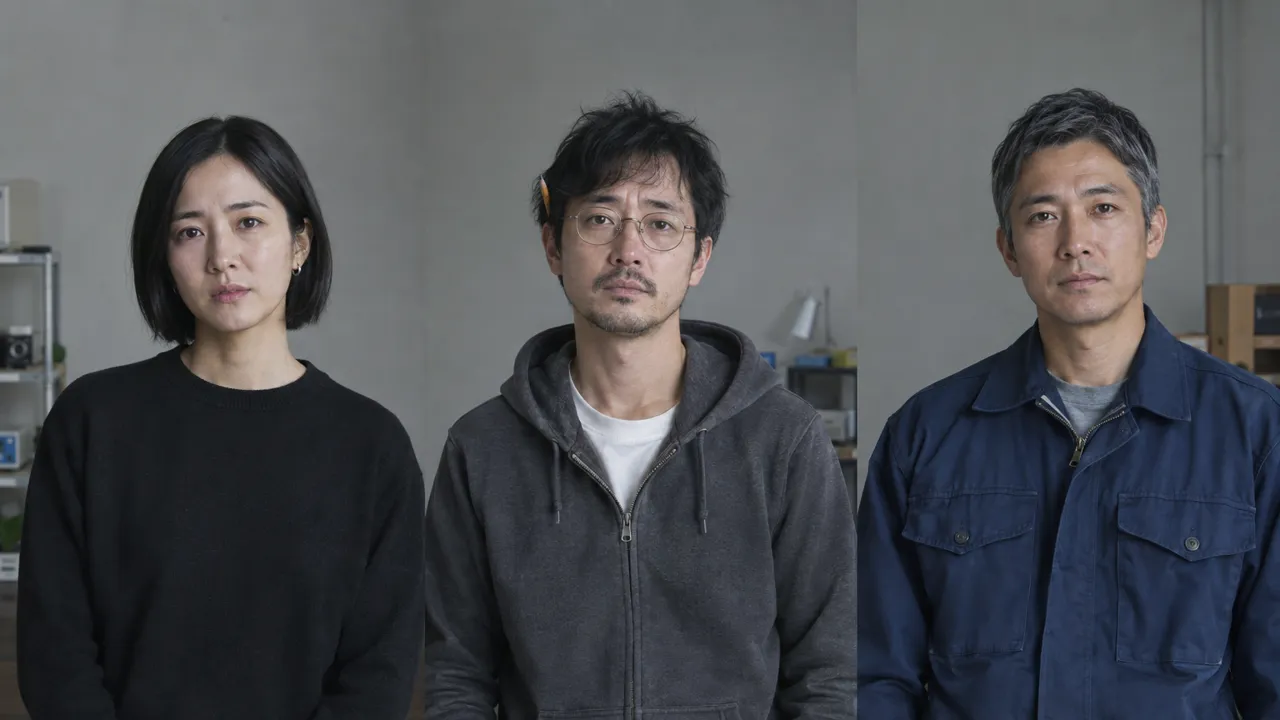

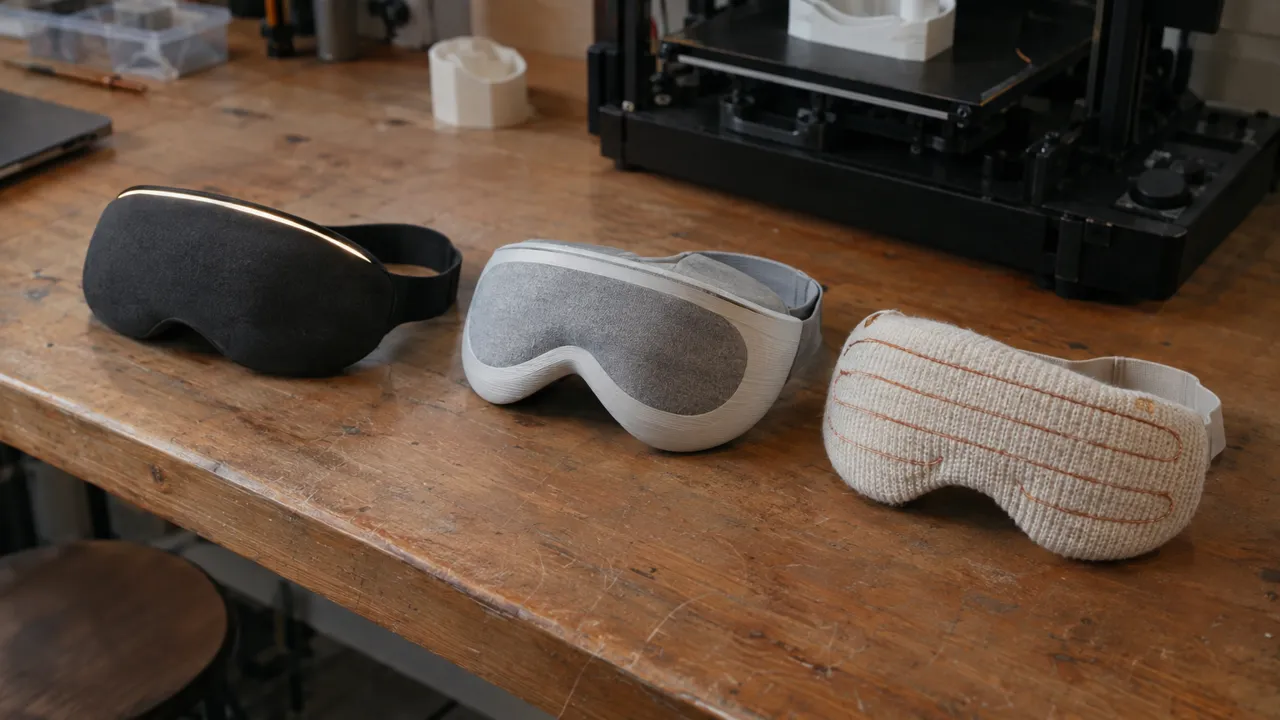
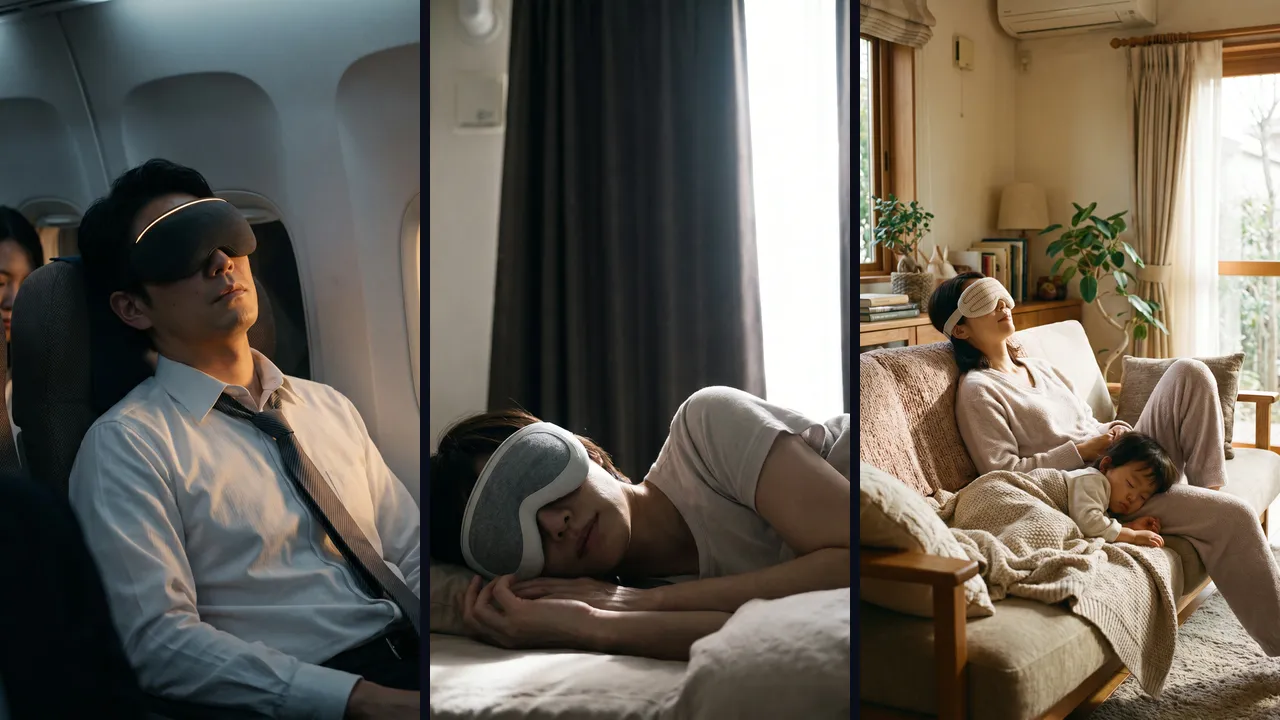
- 01Write up the requirements and a script with timings
- 02Decide the cast, prototypes and key scenes with images
- 03Choose the music and check the flow with an animatic
- 04Animate the live-action-style footage and export the screens from HTML
- 05Revise through seven versions after review and deliver in three aspect ratios
Related articles
Real People in AI Video: Likeness, Voice and Platform Rules
How to Choose a Video Generation AI: Costs and Results Compared
AI Video for Ads and Landing Pages: Specs, Labels, Tracking

In-House vs Outsourced AI Video: How to Decide
Making AI Videos with Claude Code: What to Delegate and Check
AI Video Production Cost: What $1,000 Covers and What Doesn't
How to Make an AI Video: From Planning to Sound and Editing
More work

Talk to us about your video
You don’t need a finished plan to get in touch.
Ask about a video like thisSee pricing and the production process