Assembling AI Video in Remotion: Captions, Audio and Rendering
How we assembled AI-generated shots into a 30-second ad with Remotion, with the real code, assets, render times and what we fixed along the way.
Remotion is a tool that builds videos from React code and renders them to MP4 on your own computer. It suits the stage where you line up shots made with generative AI and overlay text, graphics and sound. Generative AI tends to garble on-screen text, so being able to draw text in code is its biggest advantage.
Using Traveling Bean Box, a 30-second in-house sample FablessBridge made on October 14, 2026 for a fictional monthly coffee bean subscription, this article walks through asset layout, code and rendering with real figures. Rendering the 30 seconds (900 frames) took about 31 seconds.
Assets and environment prepared before assembling in Remotion
- Footage
- Five 5-second shots from a video generation AI (1920×1080, 24fps)
- Sound
- One 30-second music track and 4 sound effects (ElevenLabs)
- Environment
- Mac (Apple Silicon), Node.js 24, Remotion 4.0.532
- Output
- 1920×1080, 30fps, H.264
The photorealistic shots were made in Higgsfield. How we made them and chose between candidates is covered in the production note "How to Use Higgsfield".
Video and audio files go in the public folder of the Remotion project and are loaded by name from code, as in staticFile('c1.mp4'). We kept all on-screen text out of the assets and overlaid it in code.
Turning the structure into code: Composition and shot order
The overall size, frame rate and length of the video are set in a Composition. The start frame and length of each shot are kept in an array, converting the timings in the script directly into frames.
<Composition id="CoffeeAd" component={CoffeeAd}
  durationInFrames={900} fps={30} width={1920} height={1080} />

// use = how many seconds of each 5-second generated clip to use
const CUTS = [
  {src: 'c1.mp4', from: 0,   len: 150, use: 3.6, text: 'From a different country every month'},
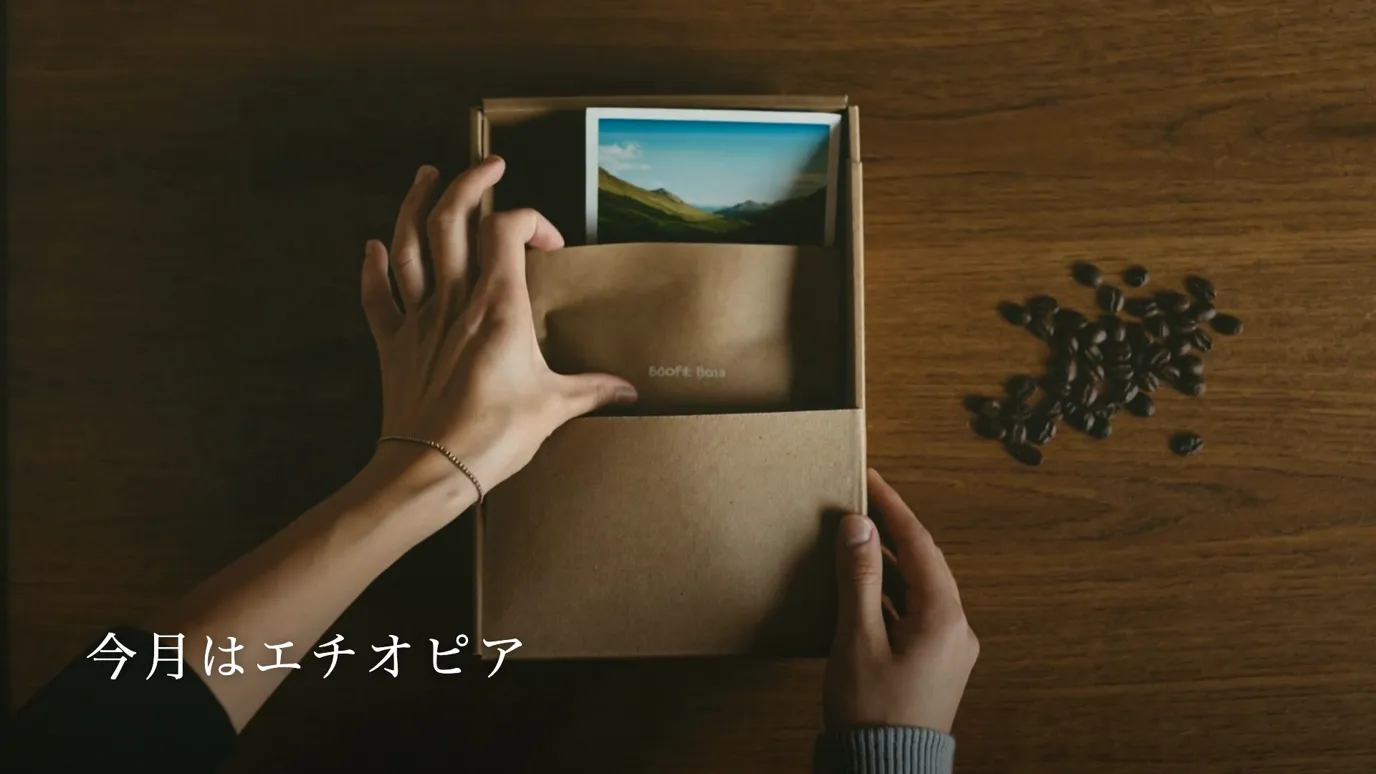
  {src: 'c2.mp4', from: 150, len: 150, use: 5,   text: 'This month: Ethiopia'},
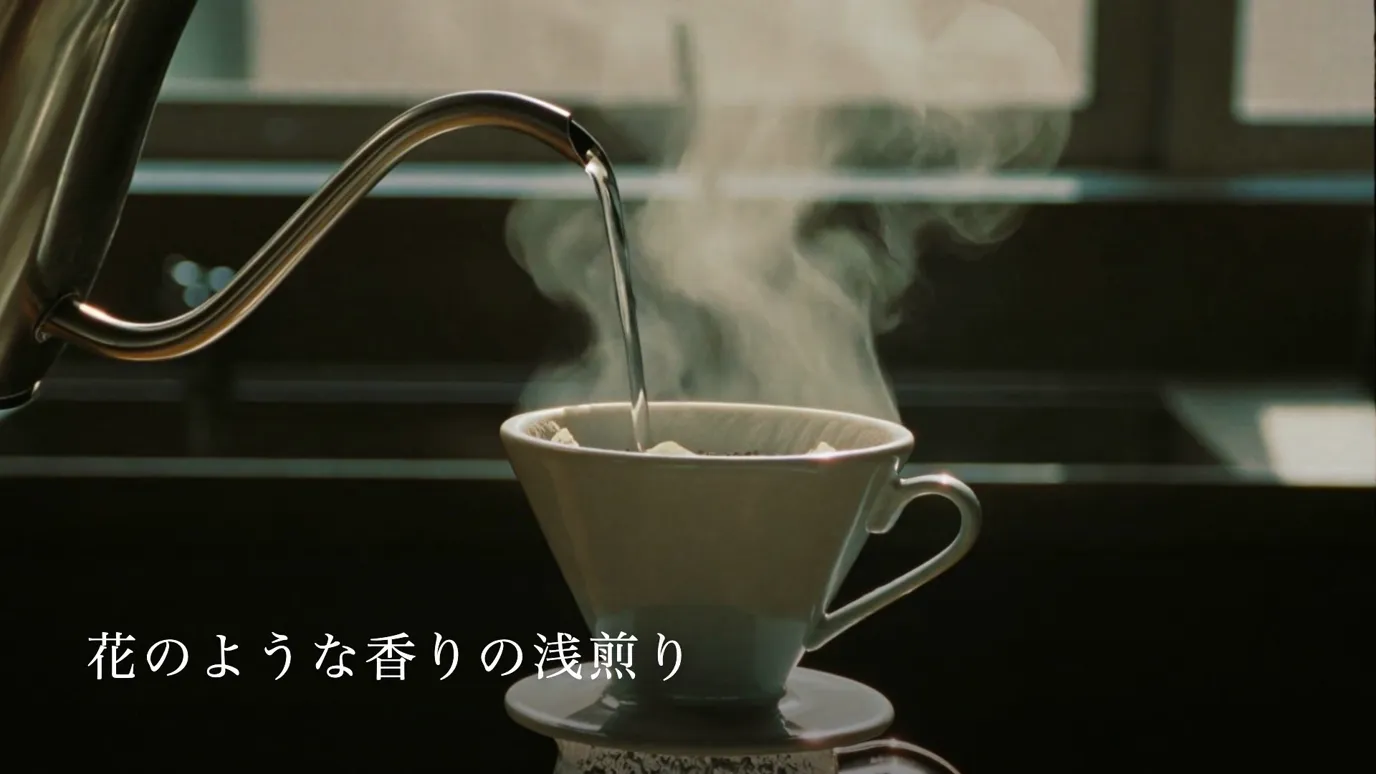
  {src: 'c3.mp4', from: 300, len: 180, use: 5,   text: 'A light roast with a floral aroma'},
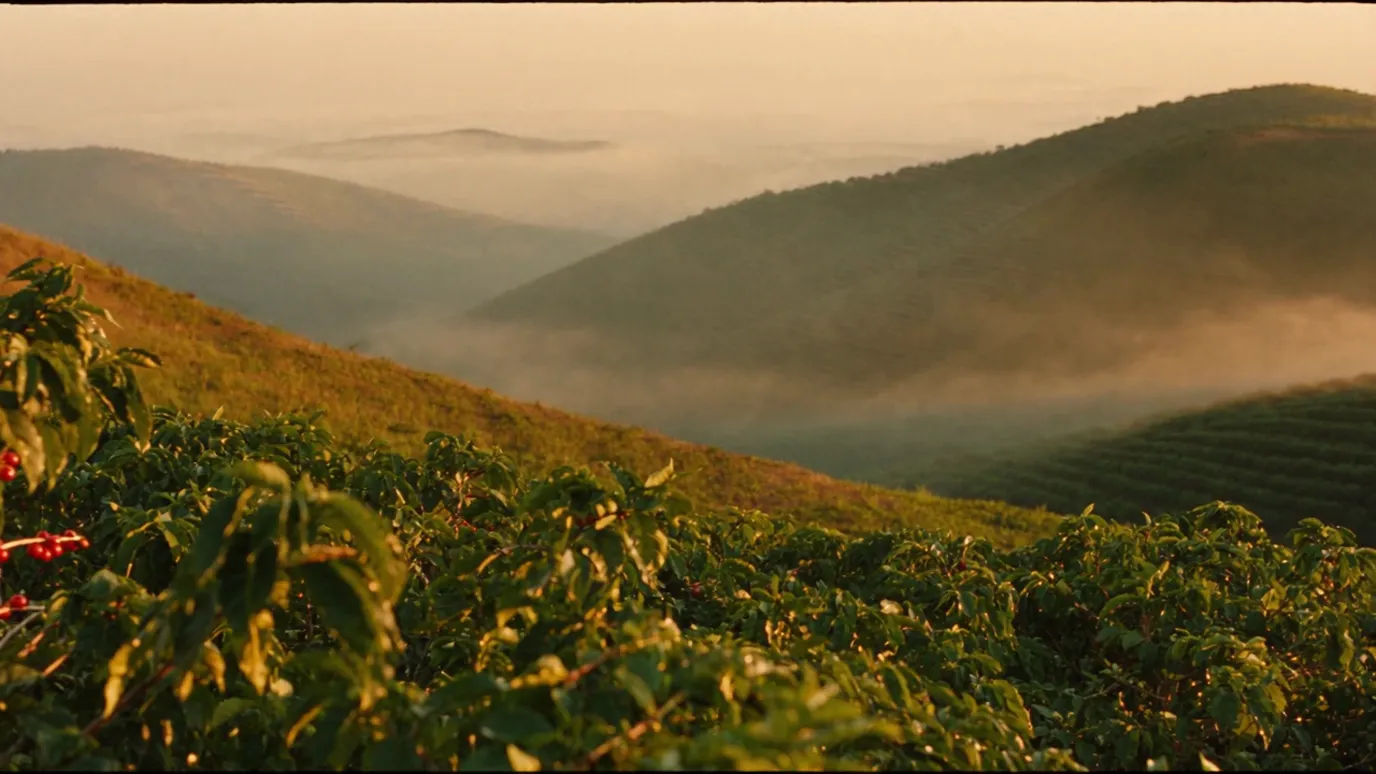
  {src: 'c4.mp4', from: 480, len: 180, use: 5,   text: 'Beans picked on highland farms'},
  {src: 'c5.mp4', from: 660, len: 120, use: 4,   text: 'Your morning cup becomes a journey'},
];Every generated shot is 5 seconds long, but the script also has 6-second and 4-second shots. So we wrote in use how many seconds of the source video to use, and calculated the playback speed to fit each shot's length. The 6-second shots play slowly at about 0.83x.
{CUTS.map((c) => (
  <Sequence key={c.src} from={c.from} durationInFrames={c.len + 12}>
    <OffthreadVideo src={staticFile(c.src)} muted
      playbackRate={(c.use * 30) / c.len} />
  </Sequence>
))}Drawing captions and graphics in code
Captions rise from below one character at a time. Remotion's spring delays each character slightly, and the caption fades out over the last 18 frames of the shot. The typeface is Hiragino Mincho, which ships with macOS. A typeface that is missing on the rendering computer gets replaced by another one, so when rendering in a different environment you need to load the font file.
{[...text].map((ch, i) => {
  const s = spring({frame: frame - 14 - i * 3, fps, config: {damping: 200}});
  return <span style={{opacity: s, transform: `translateY(${(1 - s) * 24}px)`}}>{ch}</span>;
})}Over the shot of the farm where the beans are grown, we overlaid an SVG graphic of a dotted arc running from Ethiopia to Japan. No map outlines are drawn; two points and an arc are enough to show that the beans come from far away. interpolate produces a value from 0 to 1 that gradually widens the visible part of the arc.
Placing music and sound effects frame by frame
The music runs through the whole video with Audio, fading in over the first 15 frames and out over the last 30. Sound effects are positioned by the start frame of a Sequence, at four points: taking out the box, opening the bag, pouring hot water and taking a sip.
The rendered video measured -17.5 LUFS with a peak of -2.7 dBFS. We measured loudness with ffmpeg after rendering.
<Audio src={staticFile('music.mp3')}
  volume={(f) => interpolate(f, [0, 15, 870, 900], [0, 0.85, 0.85, 0])} />
<Sequence from={310}>
  <Audio src={staticFile('sfx/pour.mp3')} volume={0.5} />
</Sequence>Remotion render times and first-run setup
Instead of the command line, we rendered with a Node.js script that calls @remotion/bundler and @remotion/renderer. It has three steps: bundle the code (bundle), select the composition (selectComposition) and render to MP4 (renderMedia).
On the first render, Remotion automatically downloaded a browser for rendering (Chrome Headless Shell, 93.5MB). From the second render on, no download is needed. Rendering 30 seconds (900 frames) took about 34 seconds for the draft and about 31 seconds for the final version, and the file was about 28MB.
const serveUrl = await bundle({entryPoint: 'src/index.ts', publicDir: 'public'});
const composition = await selectComposition({serveUrl, id: 'CoffeeAd'});
await renderMedia({composition, serveUrl, codec: 'h264', crf: 18,
outputLocation: '../final/coffee-30s.mp4'});What we fixed after the draft render
We reviewed the draft render frame by frame and fixed three things.
- 01We regenerated the opening shot, but from about 3.8 seconds the hand disappeared and garbled text appeared on the box. We used only the 3.6 seconds before the breakdown, slowed to 0.72x to fill 5 seconds
- 02The figure "about 11,000 km" on the map had not been verified, so we removed it
- 03The place-name labels were small and blended into the mountains behind them, so we made the text larger and bolder and added a shadow
Even when a generated shot has a problem, changing the range and speed used in code can sometimes avoid a regeneration. Text that needs checking, such as numbers and place names, is still reviewed by a person after it is drawn in code.
What to check before using Remotion
- 01License: free for individuals and for companies with up to 3 employees; larger for-profit organizations need a paid license (per the license document for Remotion 4.0.532)
- 02Fonts: the fonts installed on the rendering computer are used, so load the fonts when you change environments
- 03First render: a browser for rendering is downloaded automatically
- 04Assets: even if generated clips differ in length or frame rate, you can match them by setting the seconds used and the playback speed in code
How to choose and regenerate AI-generated shots is covered in "How to Use Higgsfield", and how to hand production work to Claude Code in "Making AI Videos with Claude Code".
Talk to us about your video
You don’t need a finished plan to get in touch.
ContactSee pricing and the production process