
Finished video
Service intro video built around an app launch story
A 70-second landscape video introducing FablessBridge's video production service. It rewinds from the moment the fictional app Kimaru takes off back to the one-line request that started it, showing the production steps along the way
Narration and on-screen text are in Japanese. The sections below describe the video in English.
How it was made: Scenes were created with image generation AI (GPT Image, Nano Banana) and animated with video generation AI (Kling v3), while the app screens and text animation were built in HTML. Music and sound effects were made with generative AI (ElevenLabs), and the piece was finished in an edit that includes reverse playback (no filming)
A video like this$1,000 (excl. tax) · As few as 5 business days70 seconds, landscape | Pricing
Overview and production conditions for the service intro video
- Users start recommending the app one after another. It all began with one line from the founder.
- We try the product, listen to the founder and find a story people will want to pass on.
- Rewinding from the moment the app took off, the video shows how a single video gets made behind the scenes.
- Where it runs
- A landscape (16:9) video on the PR page that introduces FablessBridge's video production service
- Structure
- The first 40 seconds or so rewind from the moment the app took off back to the one-line request. From the request scene, playback switches to forward and the same story replays at 3–4x speed
- Approach
- Each production step is handled by a helper character shaped like its tool (cursor, speech bubble, two overlapping sheets, frame, play button, sound), and a speech bubble right next to it describes the work
- Production time
- About 3 hours 10 minutes on record from the first planning discussion to exporting the finished version (just before 8:30 pm to around 11:40 pm on October 7, 2026). Six versions in the main production
The 70 seconds, scene by scene
0–2 s: On a white background, the logo "FablessBridge" and the line "Show me the future" type in backwards, starting from the last character. A rewind mark stays in the top-right corner.
2–5 s: At a music festival at night, the founder looks at a phone and smiles faintly. A speech bubble reads "Users are starting to recommend it."
5–10 s: Clips of users recommending the app Kimaru in vertical videos follow one another, scrolling in a horizontal row. The like counts fall from large numbers.
10–12 s: The published post goes back to being a draft.
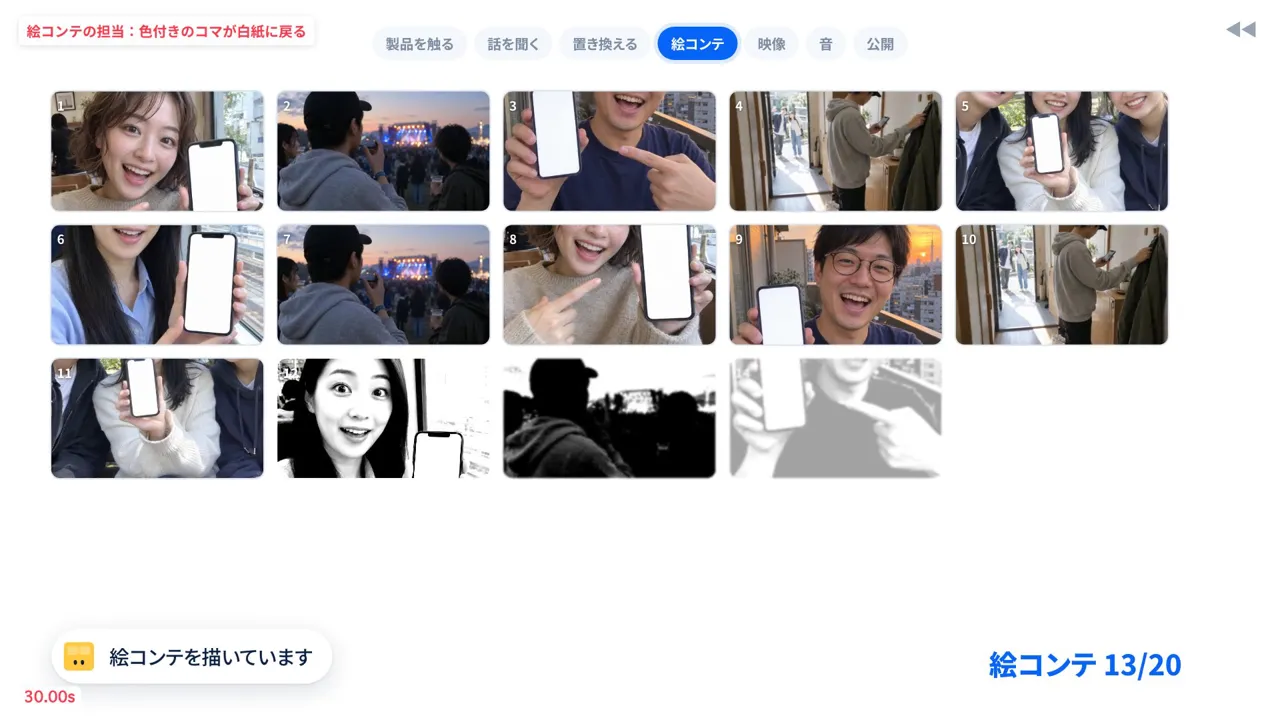
12–24 s: The sound, video and storyboard steps play in reverse. Sound effect markers come off the waveform, a fixed frame in the editing screen reverts to the frame with "three hands", and the 20-frame storyboard goes back to blank.
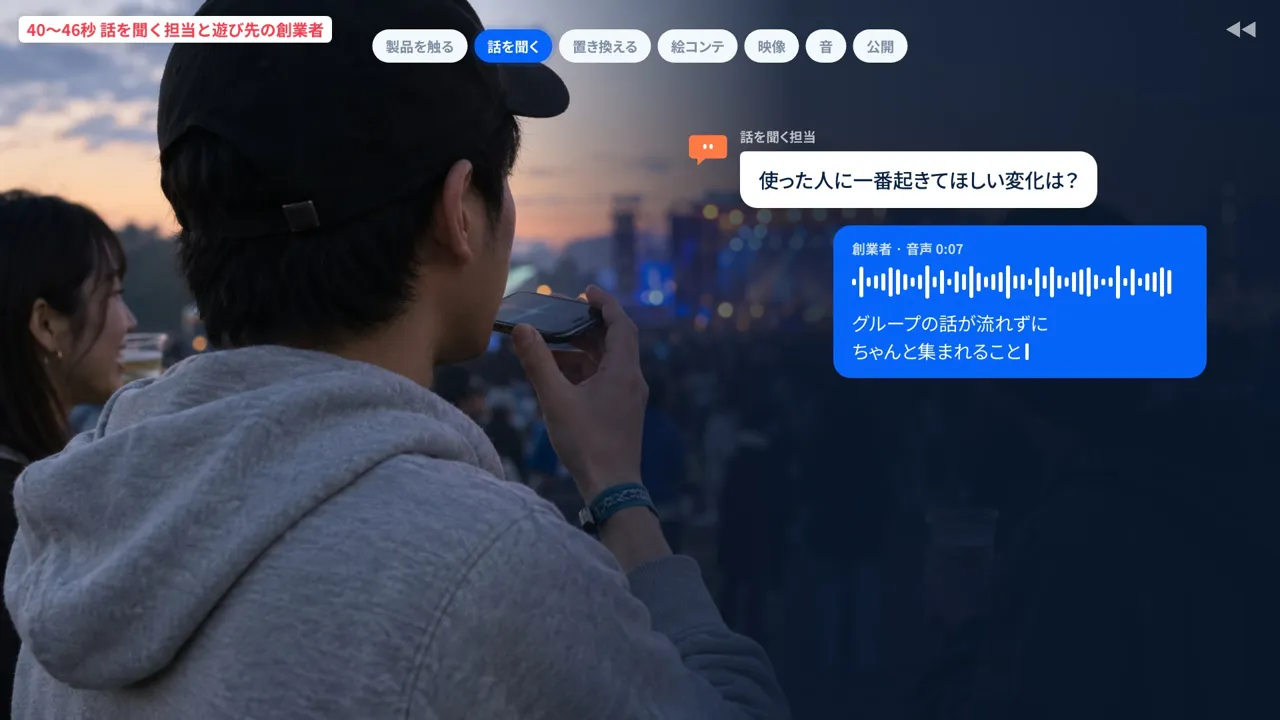
24–36 s: A user's scene, "Our group chat plans didn't get buried and we actually met up on the weekend", turns back into a line in the feature list. After the scene where the founder at the festival answers the helper character's question "What change do you most want for the people who use it?" by voice, it rewinds to operating the app screens.
36–40 s: The founder and friends take off their wristbands at the festival gate and walk backwards to the front door of a home. The rewind stops and the screen goes black.
40–44 s: Playback switches to forward. At the front door, the founder types "Make our new app go viral" on a phone and sends it to FablessBridge. A Kimaru notification arrives, "Sunday festival, 4 people confirmed", and the founder heads out to the friends waiting outside.
44–60 s: The same story replays forward at 3–4x speed. On the way to the festival, the steps run through trying the product, listening, reframing, storyboard, video, sound and publishing. The like count rises and the users' recommendation videos follow.
60–63 s: The founder's smile and "Users are starting to recommend it" appear again.
63–67 s: The logo types in backwards until complete, is erased once and then types again from the start. "Show me the future" types in the same order.
67–70 s: "Free 30-minute online consultation" is typed into an input field, with a small FablessBridge logo below.
First cut vs. final cut of the main production
From the first cut of the main production (83 seconds) to the sixth and final version (70 seconds), we reworked the app screens, the texture of the people, where the helper characters sit, how the video step is shown and the speed of the rewind.
Full video
Make the app screens look like a real service
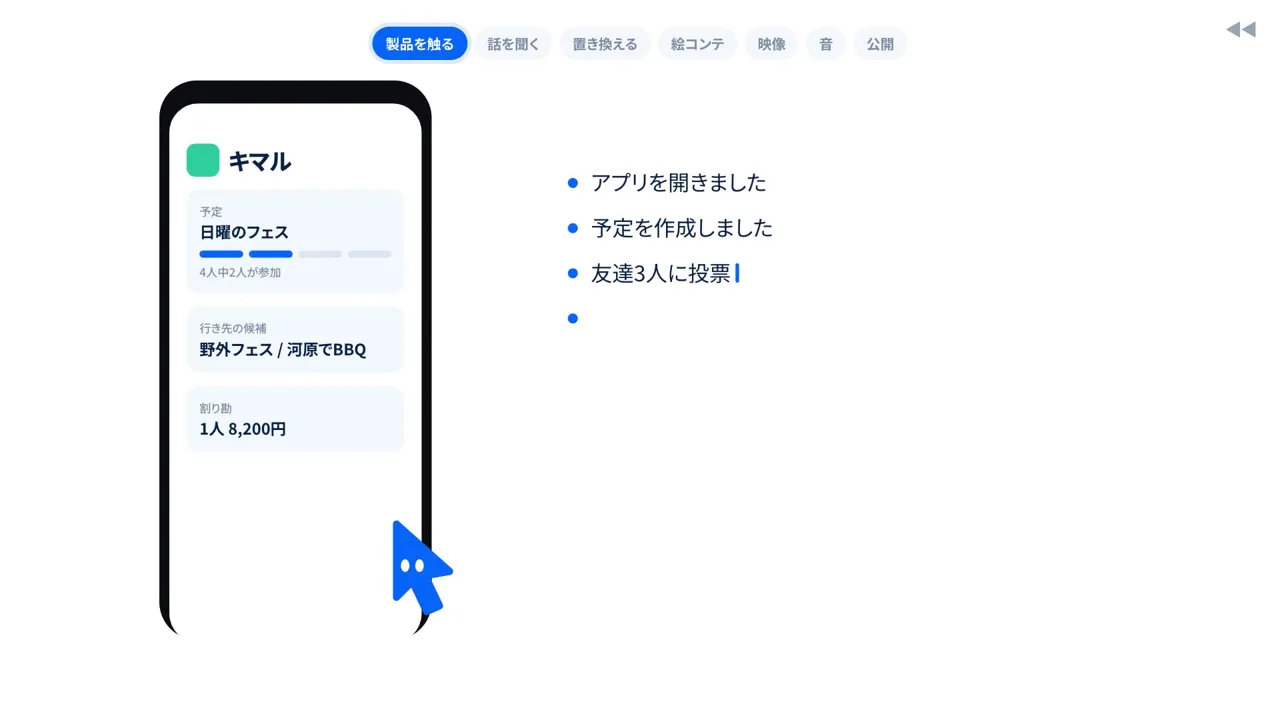 Before
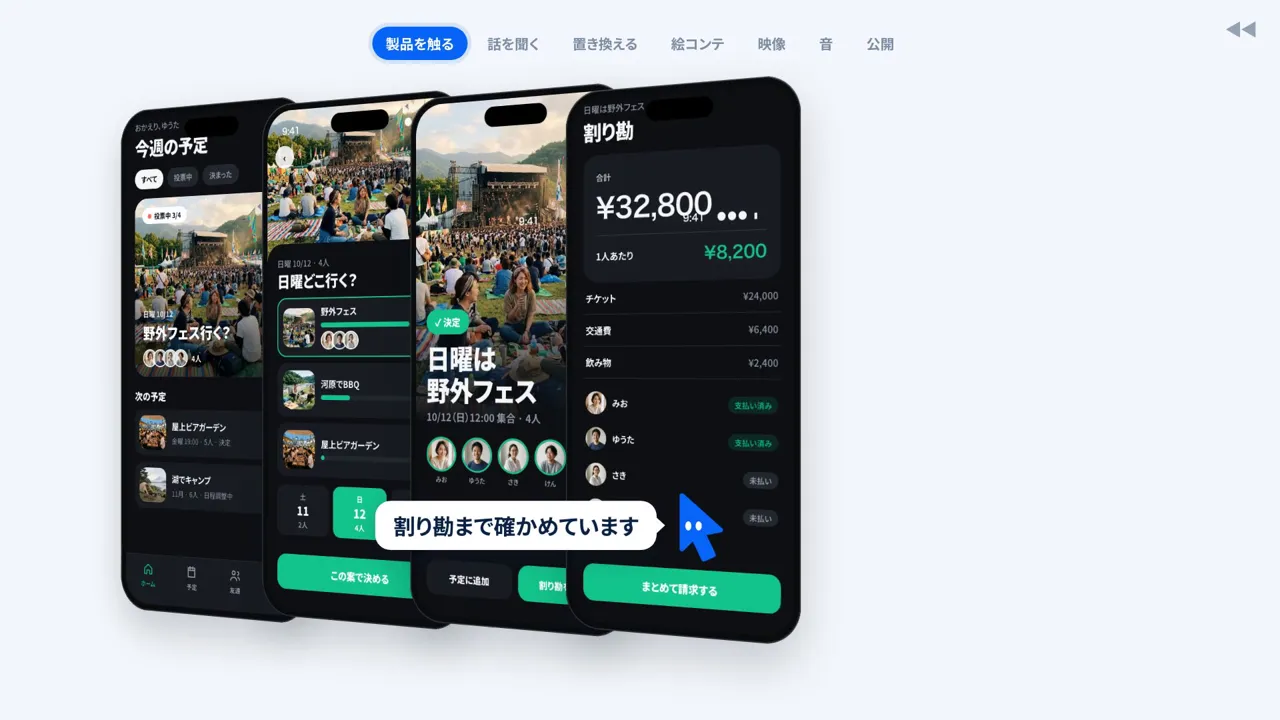 Final cut
- Goal
- Make the fictional app look like a real service so the scenes of users recommending it are convincing
- Instruction during production
- "Overall, the Kimaru app looks low quality (...) bring it up to a solid level."
- Adjustment
- We set the icon, main color and typeface, and built four screens in HTML (home, event details with voting, confirmation and bill splitting). The venue photos and friends' avatars were made with image generation AI. After comparing light and dark backgrounds, we chose dark
Make the generated people look like ordinary people filmed on a phone
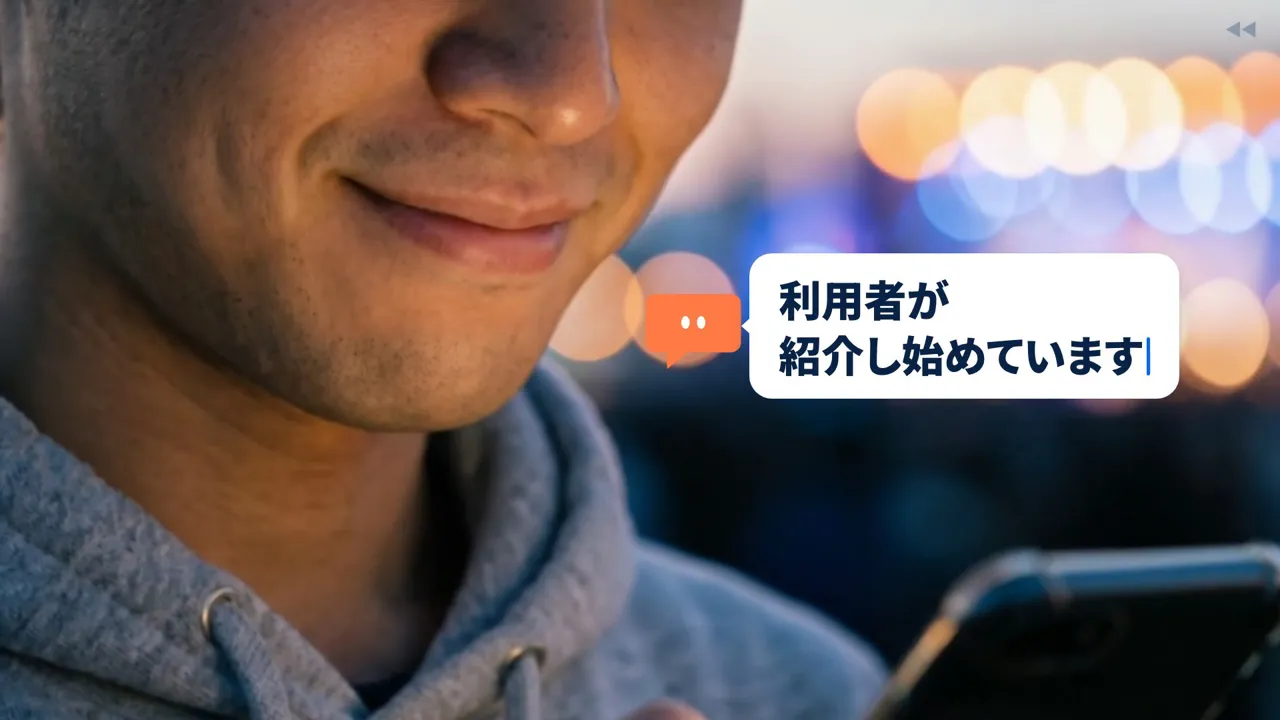 Before
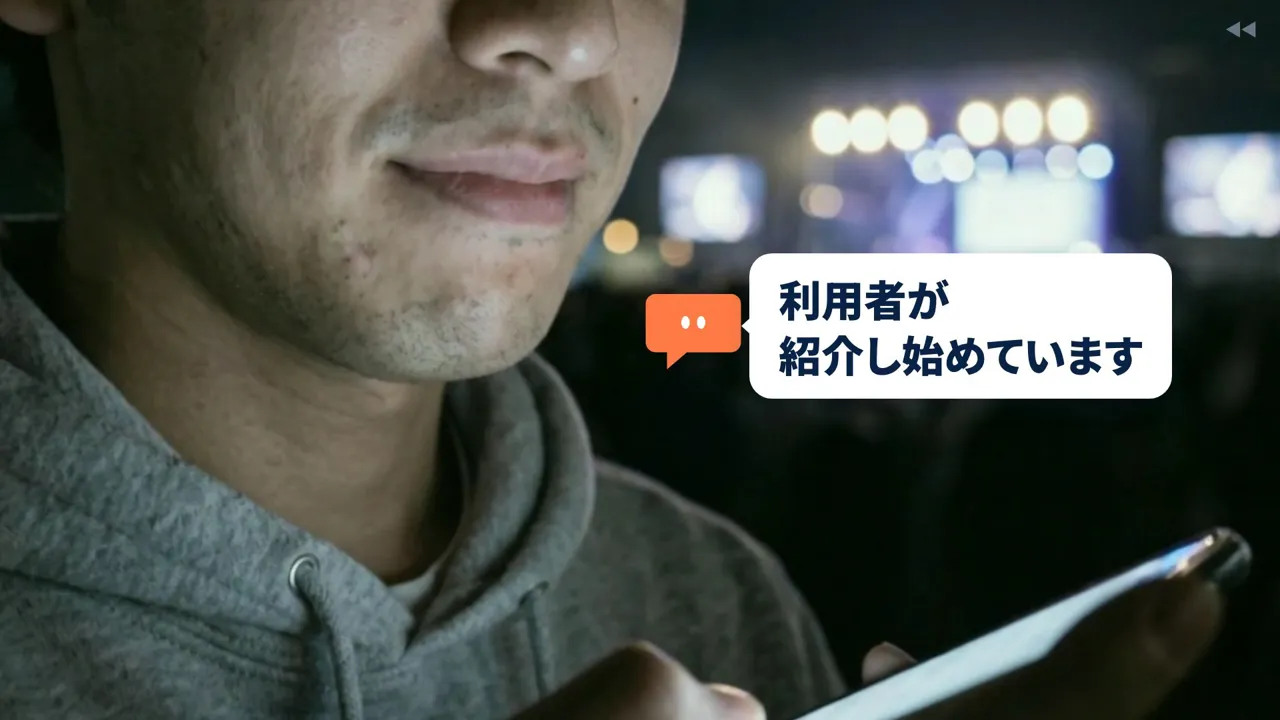 Final cut
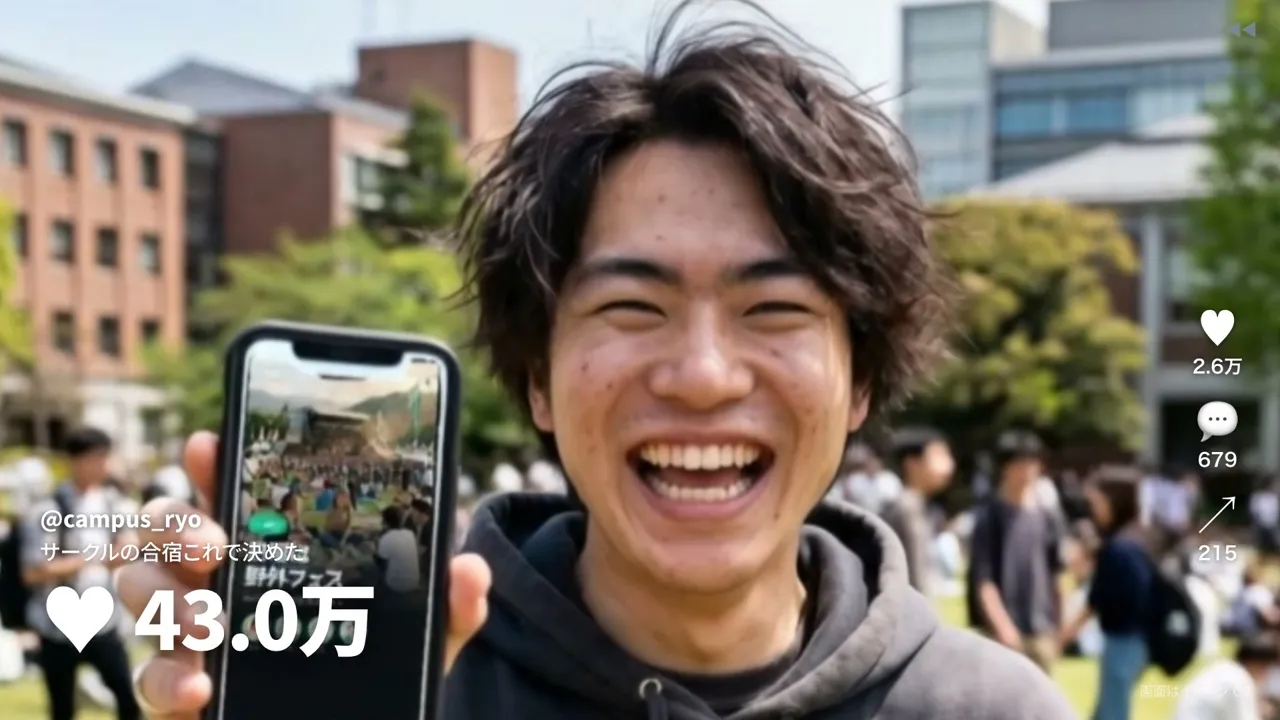 Before
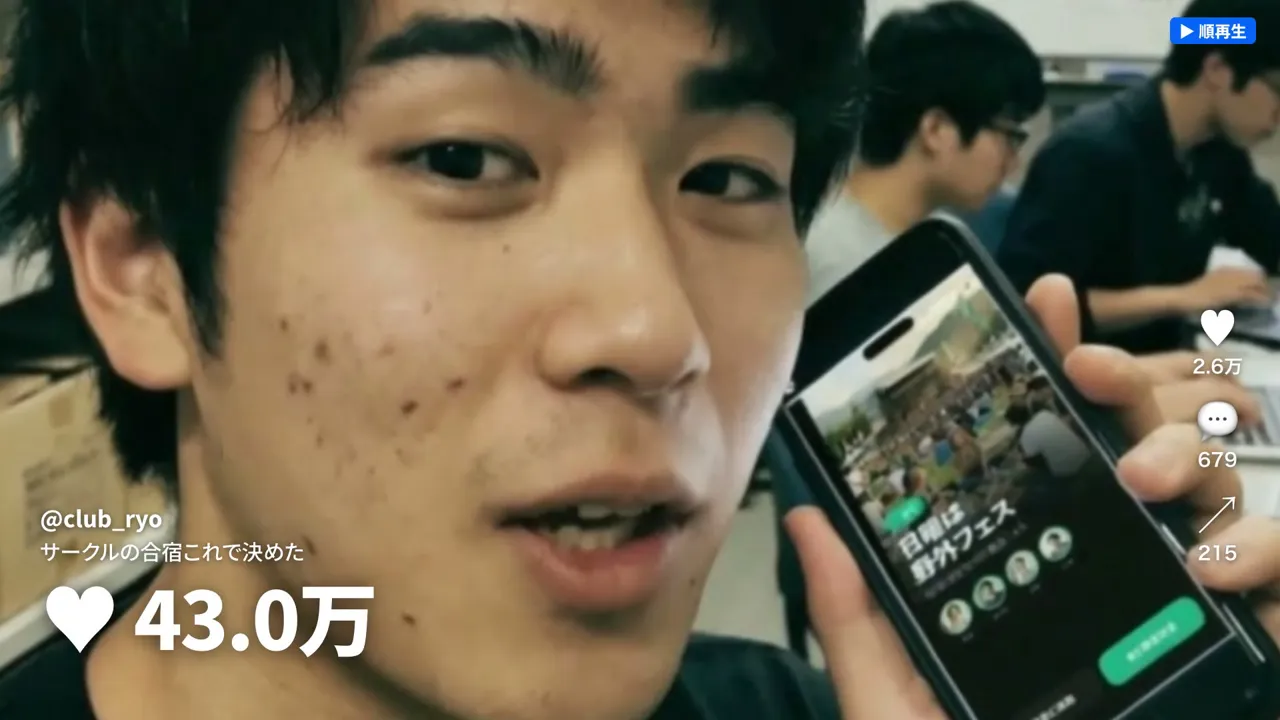 Final cut
- Goal
- Remove the smooth, AI-looking skin and overly tidy backgrounds so the clips look like videos users shot themselves
- Instruction during production
- "The founder's skin at 0:03 looks AI-made."
"The person at 0:04 looks AI-made. Maybe the skin texture." - Adjustment
- Expressions were varied from person to person, and the shots were remade with flat indoor light, low saturation, matte skin and lived-in locations. We compared two stills for each before animating, and added film grain to unify the texture. The man at the ramen shop was remade the same way
Place the helper characters where the work is happening
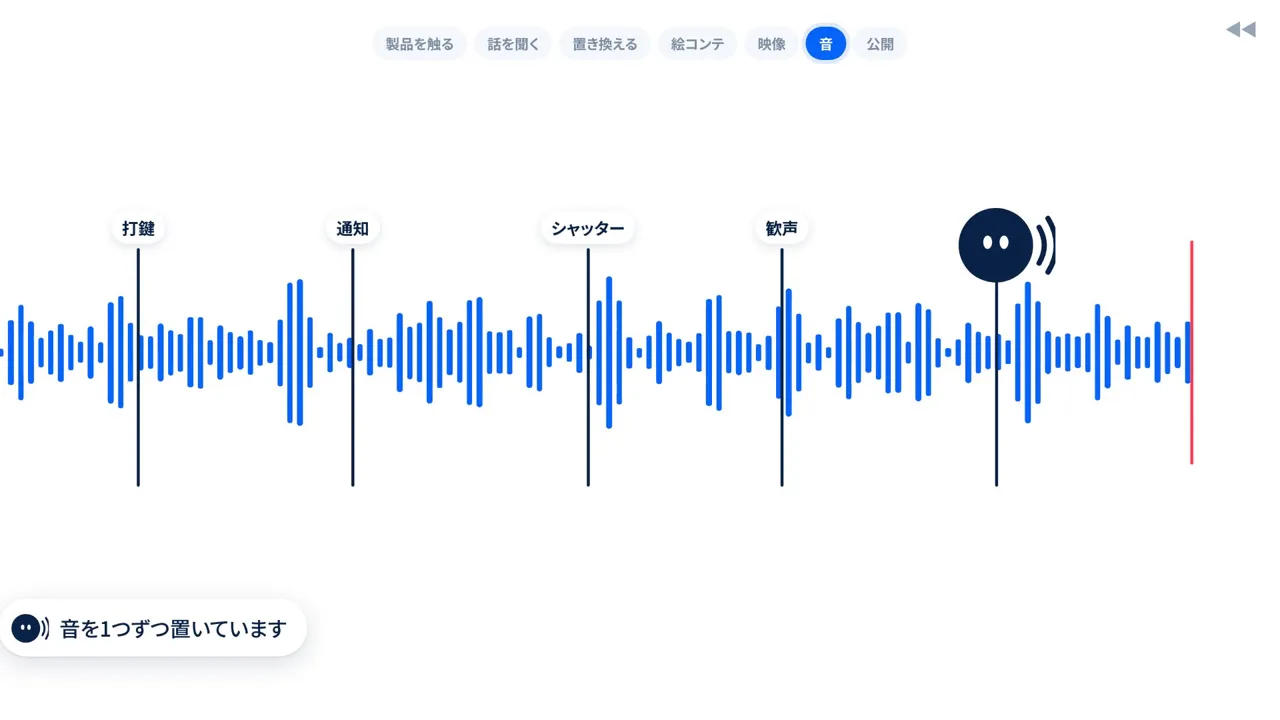 Before
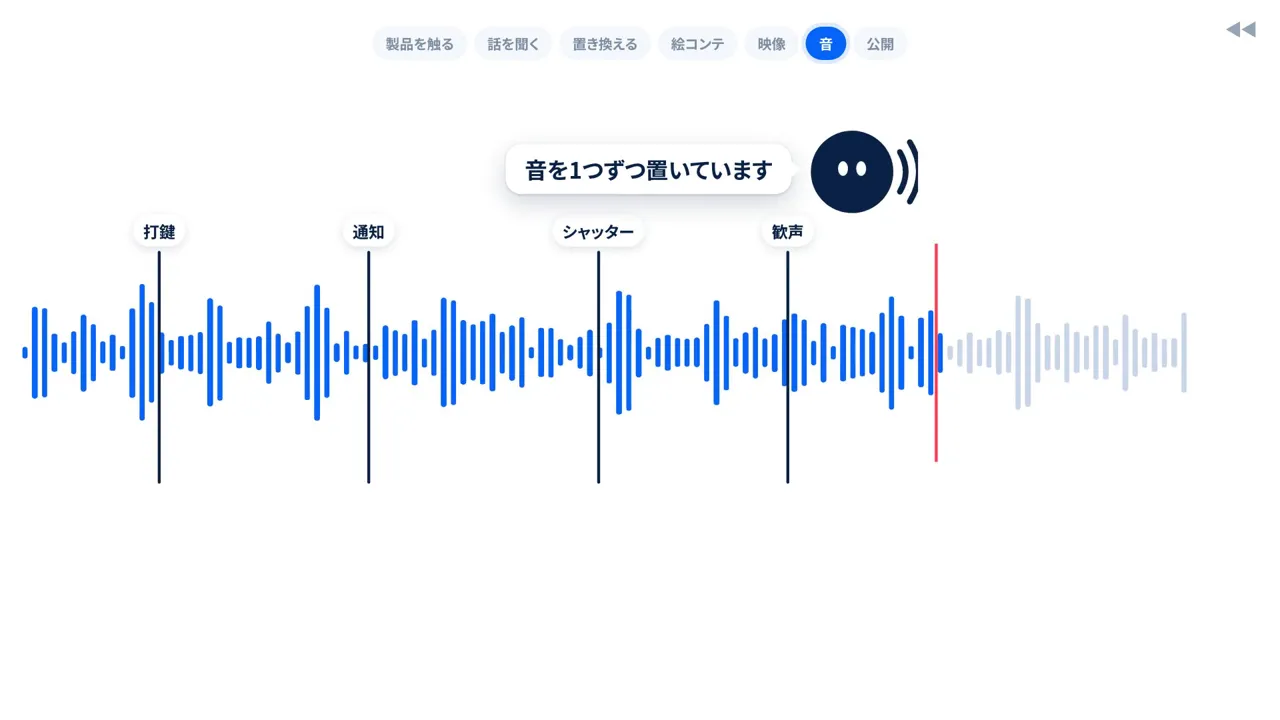 Final cut
- Goal
- Let viewers read which character is doing what along with the motion
- Instruction during production
- "Overall the character icons explain things from the edge of the screen, which is hard to follow. Attach the comments to the character icons that are moving, so the comments supplement the motion."
- Adjustment
- Work descriptions became speech bubbles next to each character, and the characters move to where the work happens, such as the button being pressed or the playhead. The characters were enlarged, and the publish button, which overlapped the blue character, was changed to dark navy
Rebuild the video step as an editing screen
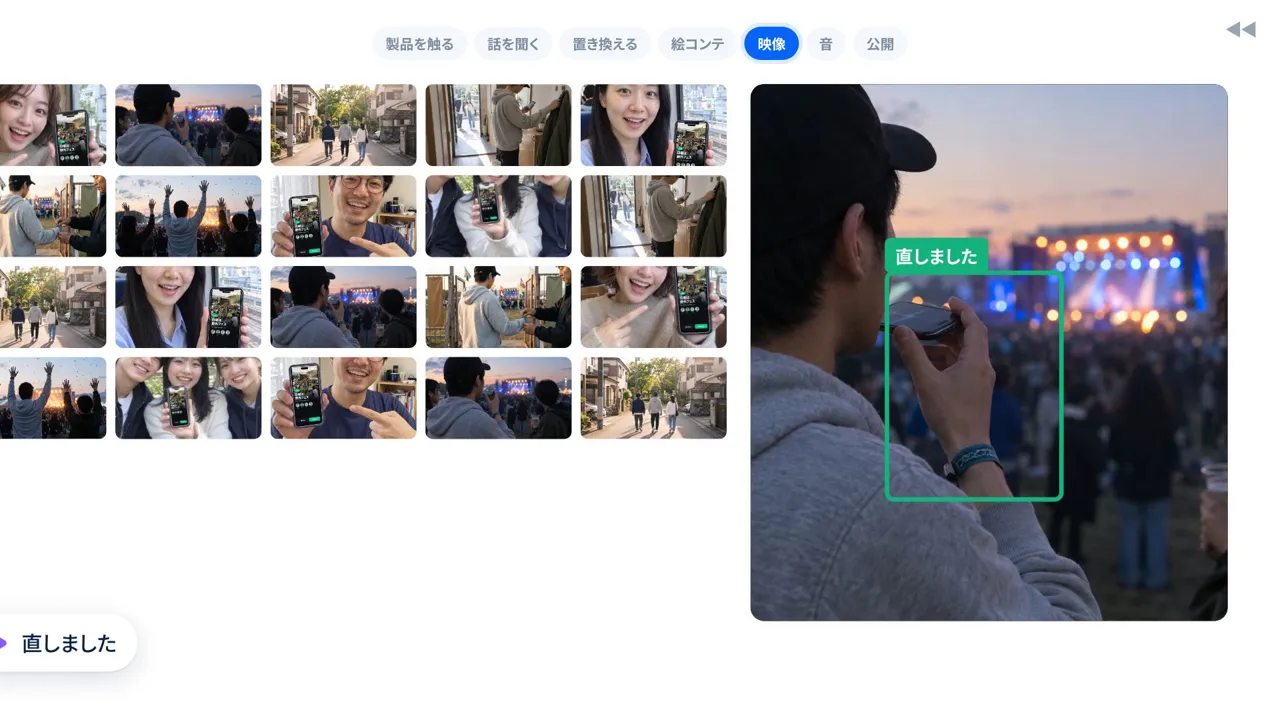 Before
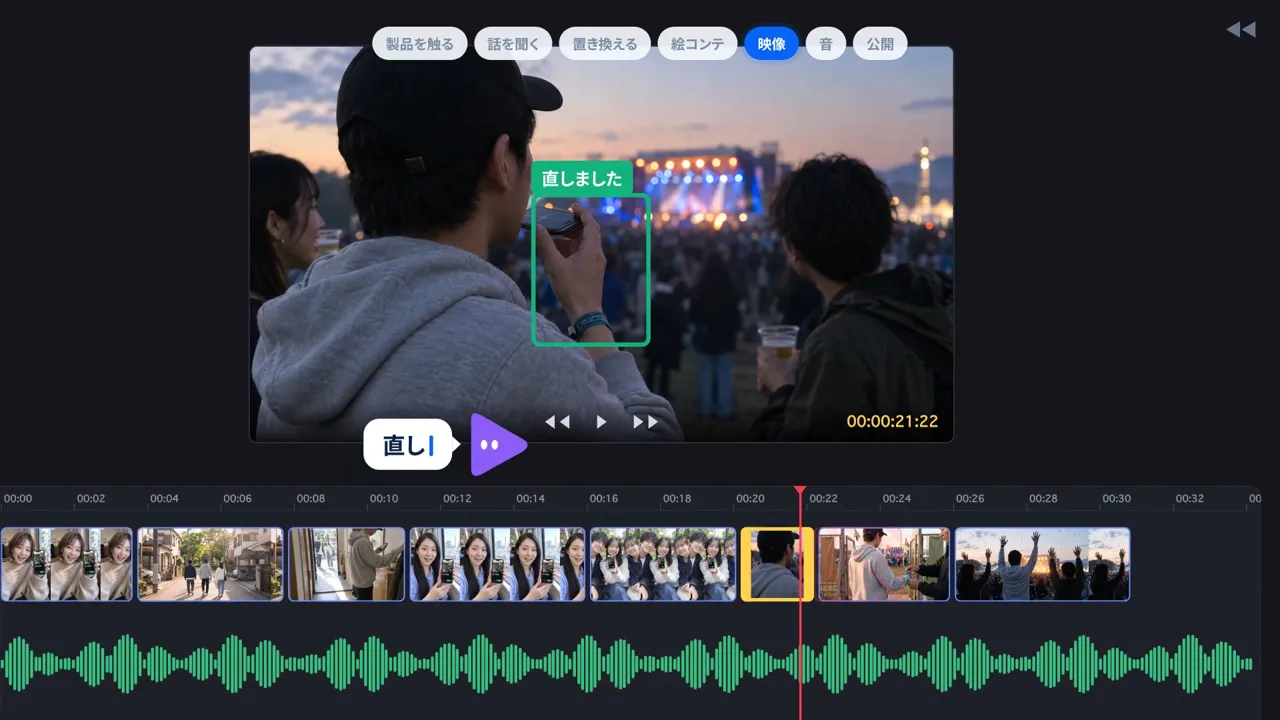 Final cut
- Goal
- Make the video-editing step clearly distinct from the storyboard
- Instruction during production
- "The images in the video tab should look more like video. Right now it's no different from the storyboard."
- Adjustment
- A preview sits on top, with a time ruler, video track, audio waveform and red playhead below. A broken frame is trimmed with yellow handles, which the video helper character moves
Speed up the rewind and show the likes going down
- Goal
- Make the rewind obvious at a glance and keep the pace from sagging
- Instruction during production
- "Make the reverse playback about 1.2x faster overall. It's hard to follow and feels like it drags."
"During the horizontal scroll around 0:09, put a more visible effect on the hearts. Right now it doesn't come across that going down means rewinding."
"And make the reverse 1.2x faster. It can be even faster." - Adjustment
- The story rewind was sped up by 1.2x in two rounds, from 49.25 seconds to about 34 seconds (the whole video went from 82.5 seconds to about 70). The horizontal scroll got a large red heart, hearts being pulled away and a falling total count
Style frames, animatic and production steps
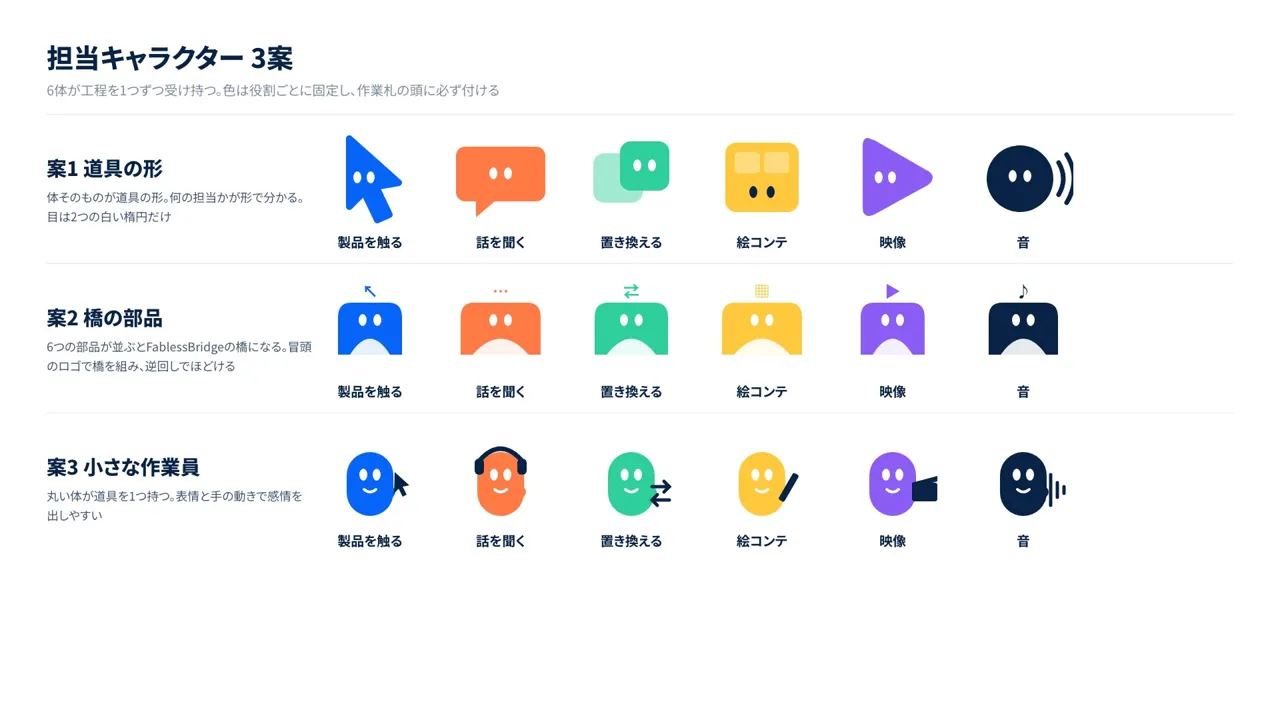
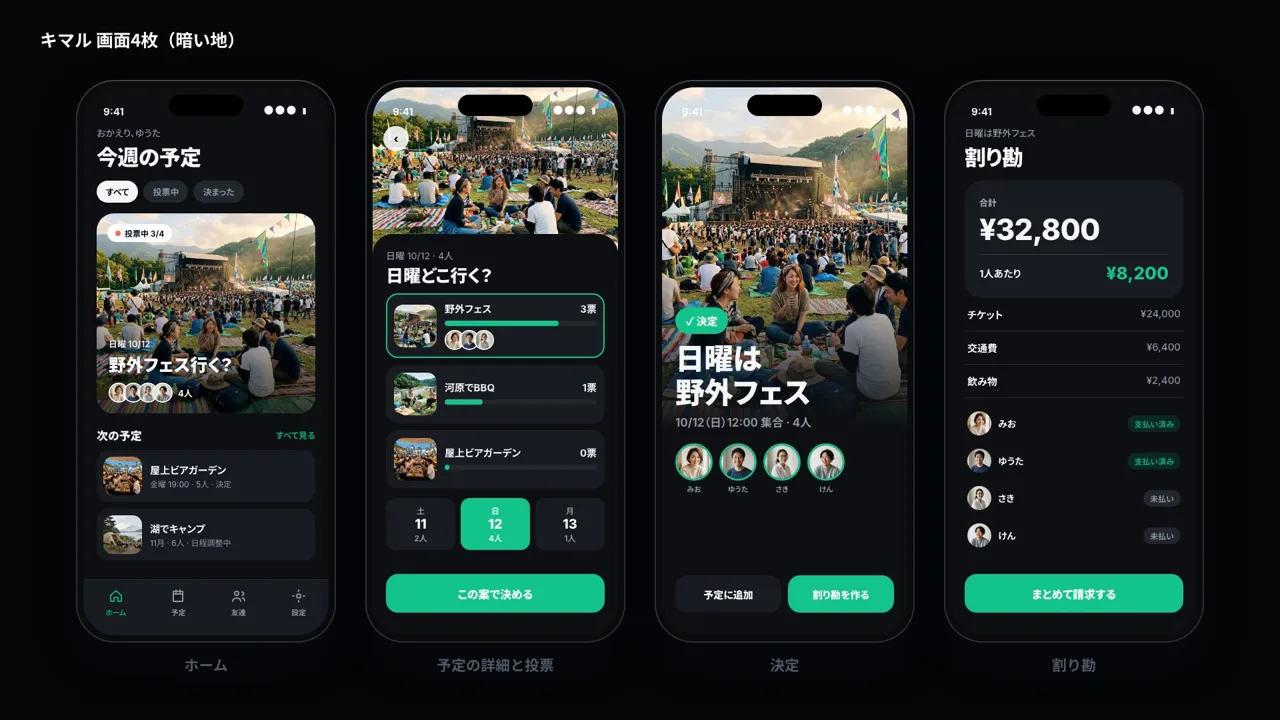
- 01Review reference videos and past work, and draft three concepts
- 02Decide the reverse-playback structure, the cast and the fictional app
- 03Settle the helper characters and screens with style frames
- 04Make three music options and lay rewind sounds over a 174 BPM track
- 05Check the timing and the switch to forward playback with an animatic
- 06Revise the main production through six versions and export
More work

Talk to us about your video
You don’t need a finished plan to get in touch.
Ask about a video like thisSee pricing and the production process