
Finished video
SUMI, invoice management software
About 36 seconds showing an accounting staffer who used to stay late at month-end now leaving on time
Narration and on-screen text are in Japanese. The sections below describe the video in English.
How it was made: Twenty frames made with image generation AI were animated one at a time with video generation AI (Kling v3), and the product screens were recorded from screens we built ourselves. The dialogue was made with voice generation AI (ElevenLabs), the ambient sound, sound effects and music were also made with generative AI (ElevenLabs), and everything was finished in editing (no filming)
A video like this$1,000 (excl. tax) · As few as 5 business days36 seconds, landscape (videos under 60 seconds are priced at the 60–90 second rate) | Pricing
Overview
Instead of listing features, the video shows how the user's everyday work changes.
- Features
- Creates invoices automatically
Matches incoming payments automatically
Sends payment reminder emails automatically - Change for the user
- The accounting staffer who used to stay late at month-end can leave on time
What we fixed
Keep faces out of view
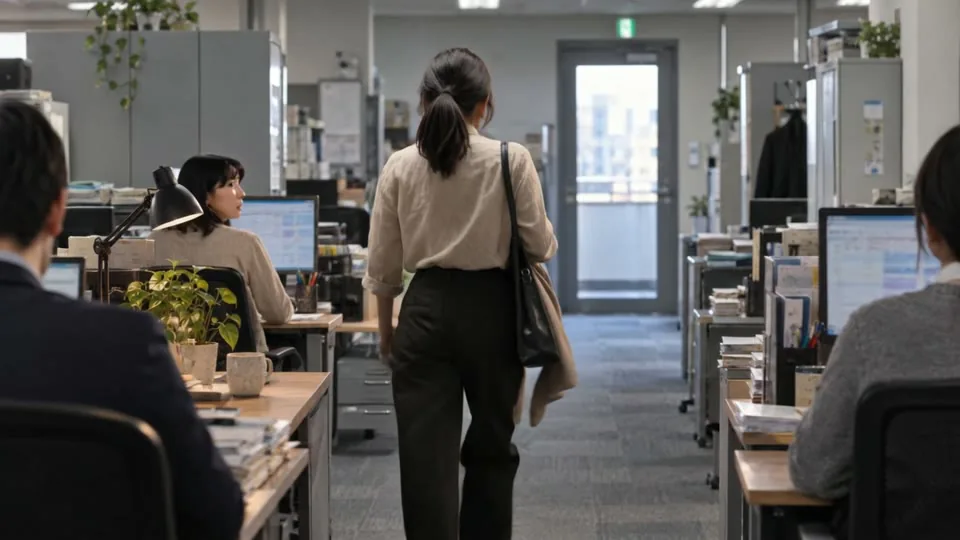 Before
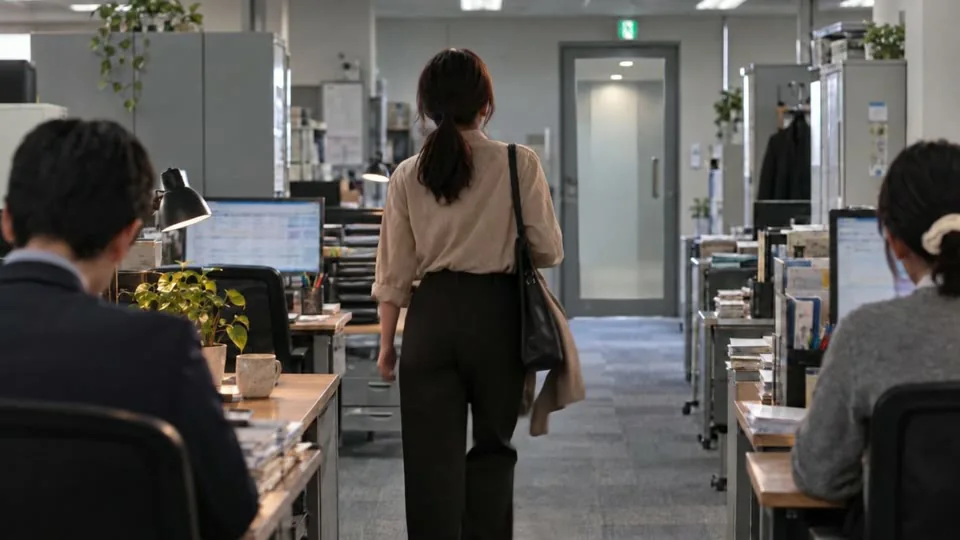 After
After- Aim
- Remove the artificial feel so viewers can picture their own workplace
- Direction during production
- "Show only the lower half of faces or people's backs, so no faces are visible"
- Adjustment
- Remove the coworker who turned around from the source image, leave the desk empty, then animate it again
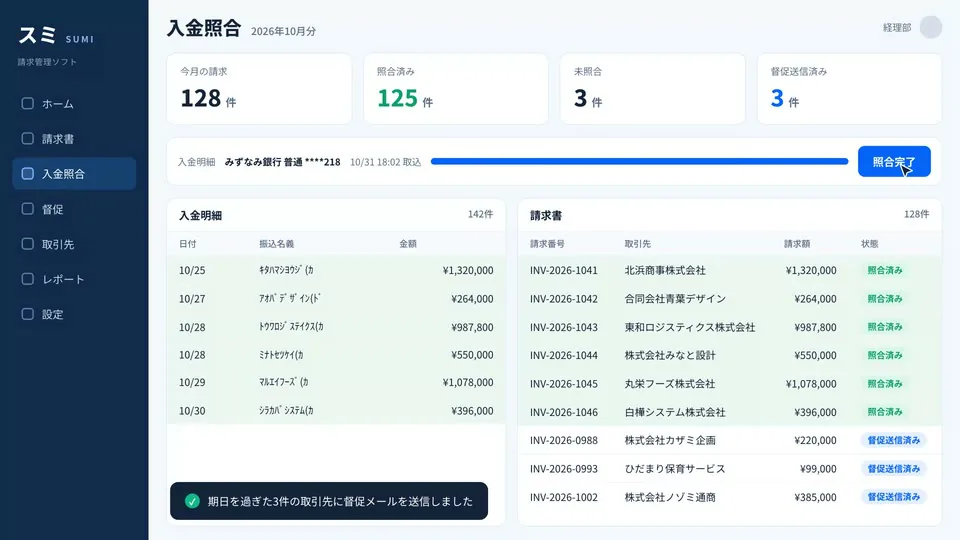
Make the screen content real
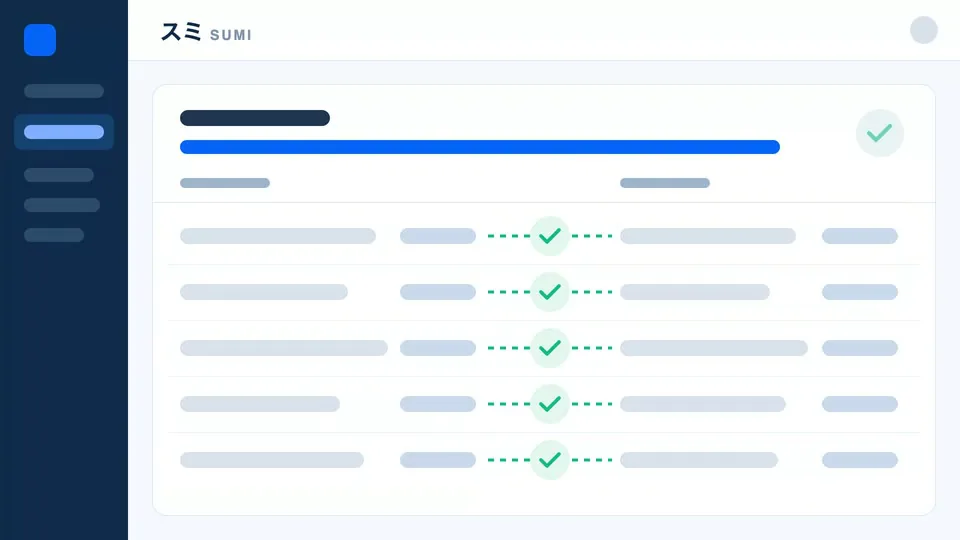 Before
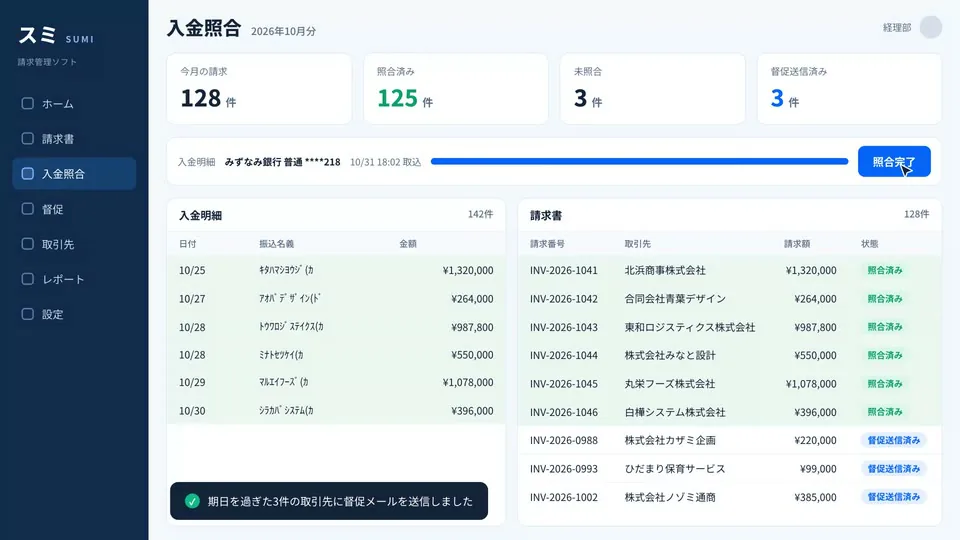 After
After- Aim
- Make it clear at a glance what the product does
- Direction during production
- "There's not much substance here"
- Adjustment
- Build a screen where payment records are matched to invoices and the process moves on to reminders, and record it
Remove impossible scenery
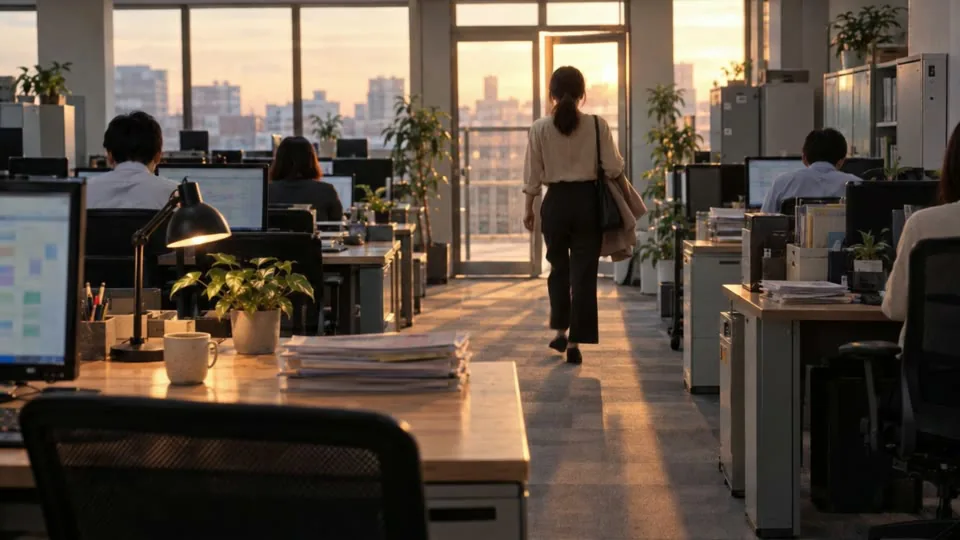 Before
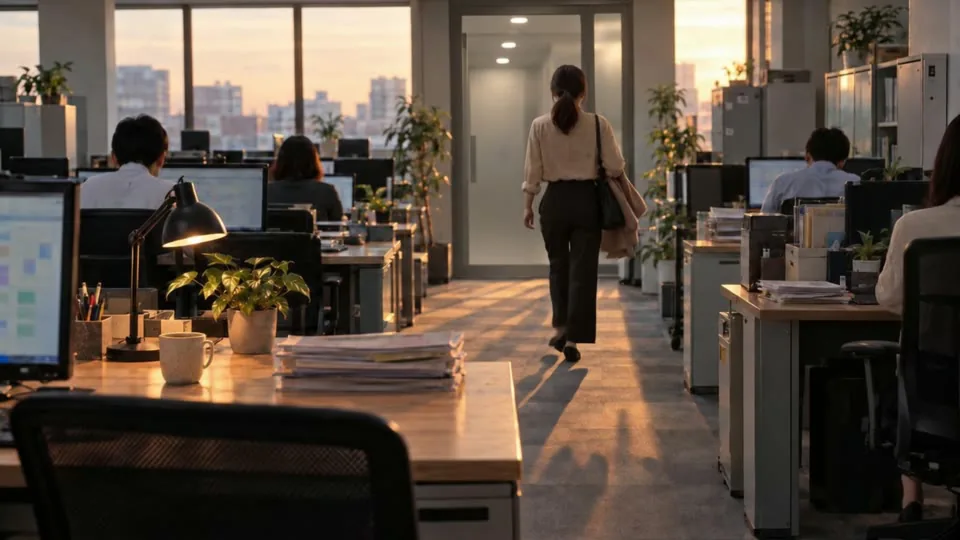 After
After- Aim
- Keep a single odd detail from pulling viewers out of the story
- Direction during production
- "You can see sky through the door" "Normal buildings aren't built like this"
- Adjustment
- Animate again from an image with an elevator hall beyond the door
How this video was made
Planning notes
Settle on the change to show: the accounting staffer who stayed late at month-end now leaves on time
Choosing the story
Out of three ideas, choose the one where the monthly "I'm heading out first" is reversed
A 20-frame storyboard
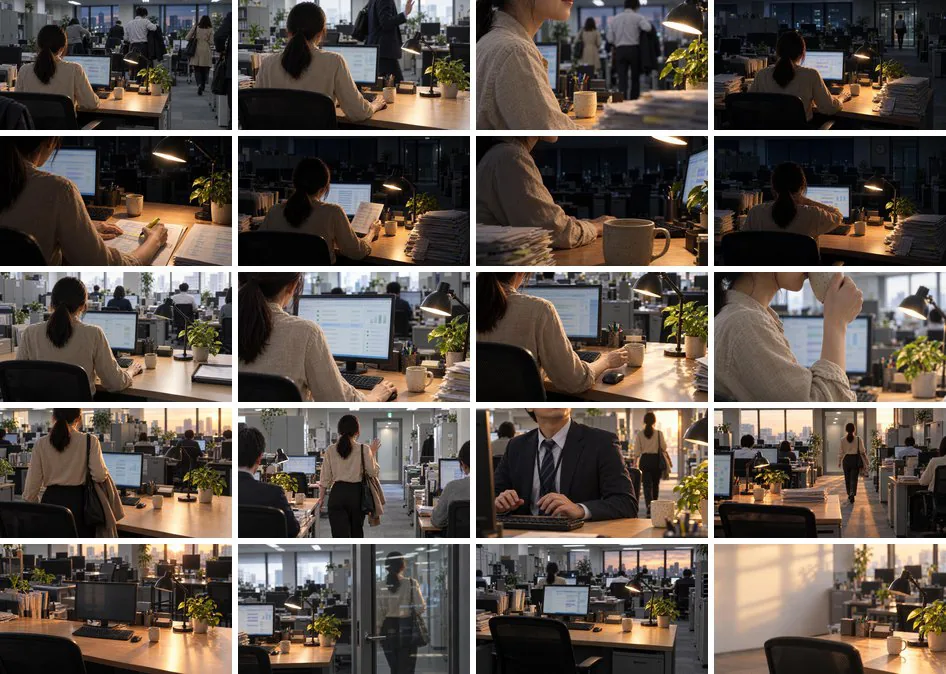
Build the real screen
Fix what feels off
Check and fix hands, backgrounds, dialogue and sound one spot at a time
More work

Talk to us about your video
You don’t need a finished plan to get in touch.
Ask about a video like thisSee pricing and the production process